
Mileage Blocker Not Working? 5 Common Fixes
Top 5 reasons your mileage blocker isn't working: check compatibility, installation, connections and activation, plus how to assess mileage readings.
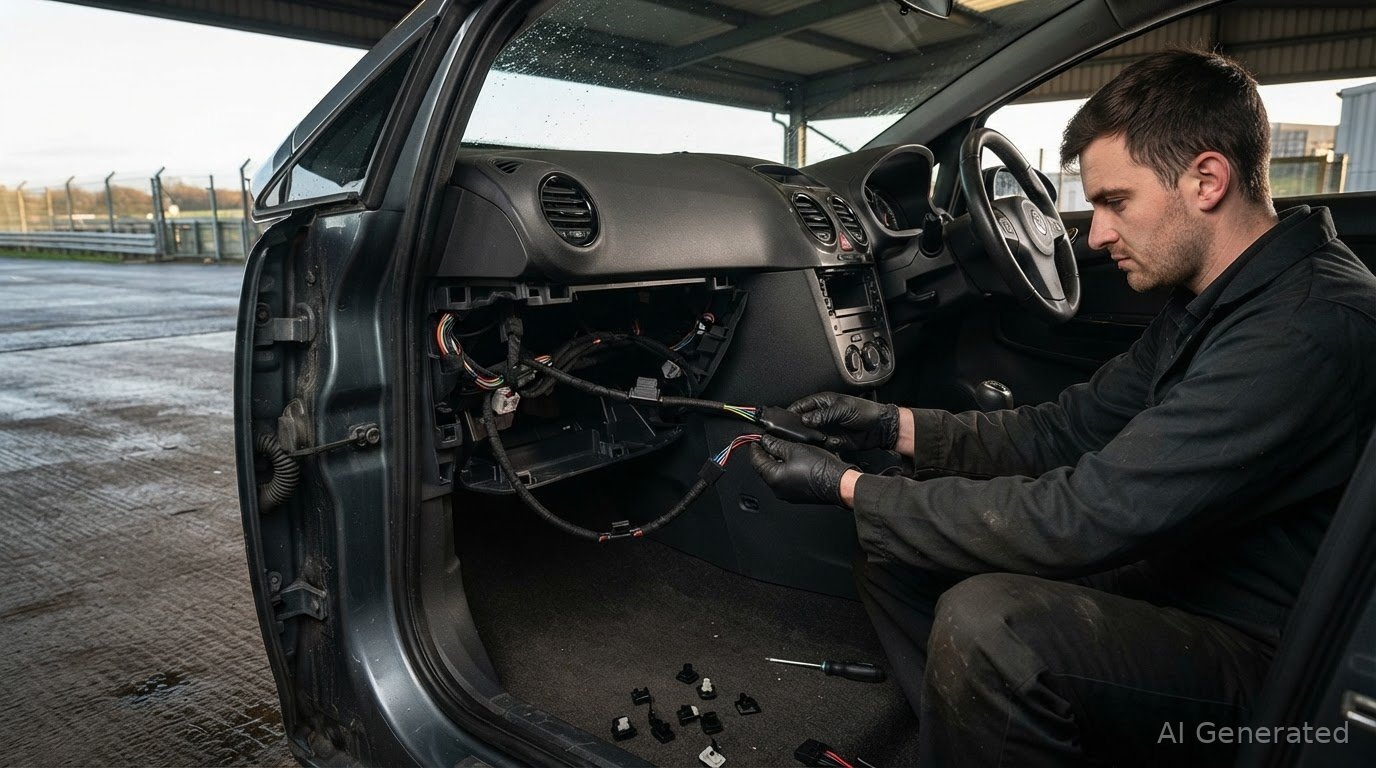
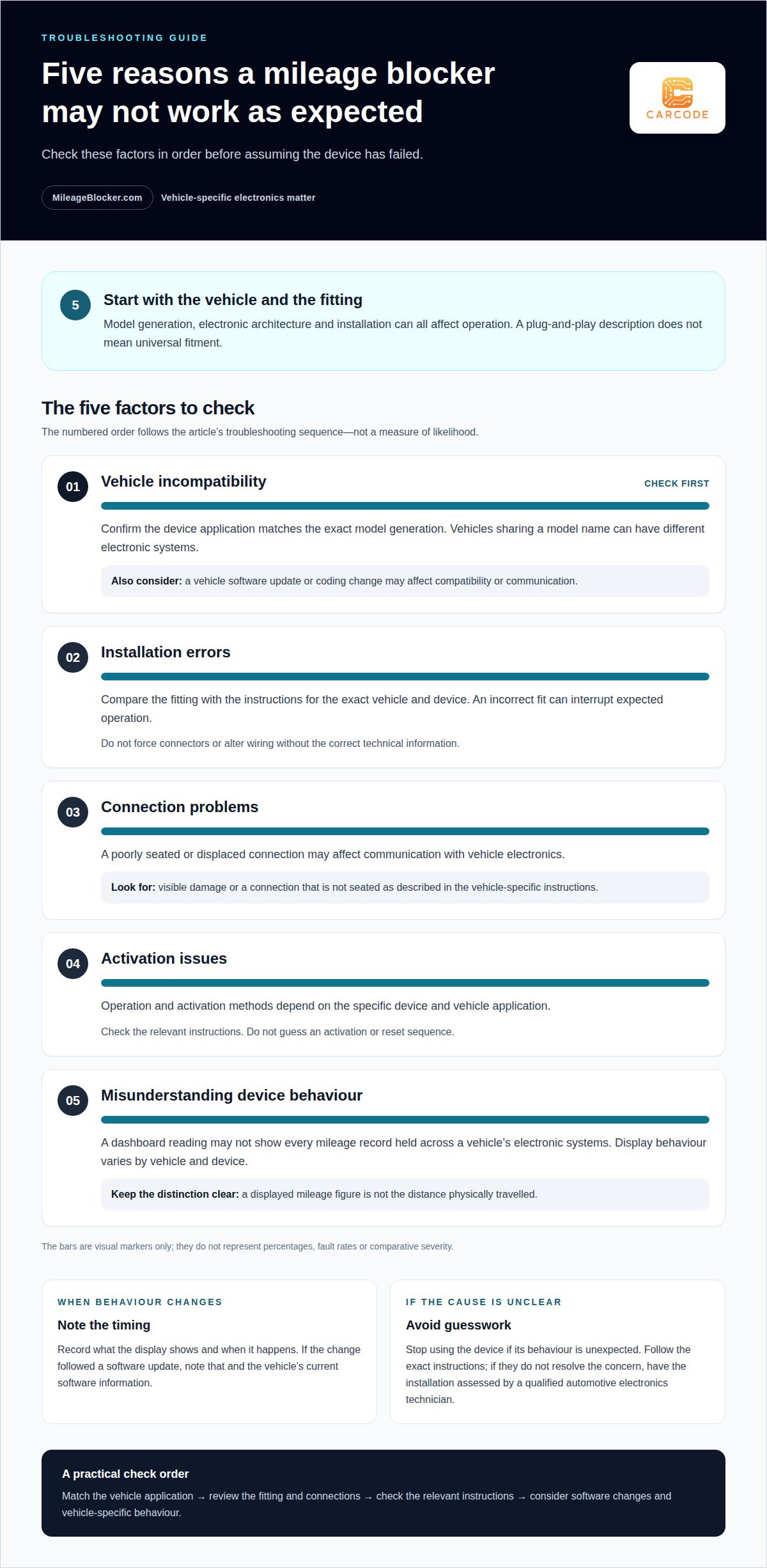
The top five reasons your mileage blocker isn’t working, and how to fix them, usually come down to vehicle incompatibility, installation errors, connection problems, activation issues or misunderstanding how the device behaves while active. A displayed mileage reading may not tell the whole story, because vehicles can record mileage across different systems.
It’s reasonable to expect consistent operation, but vehicle electronics differ by model and generation. If a device doesn’t behave as expected, first consider whether it matches the vehicle and whether it has been fitted correctly, rather than assuming the unit has failed.
This guide explains how a mileage blocker affects mileage recording, why vehicle-specific compatibility matters, and what to consider when behaviour seems unusual. It also explains why mileage information may exist beyond the instrument display, helping distinguish a possible installation issue from differences in how vehicle systems handle data.
Key Takeaways
- Start with vehicle-specific compatibility: model generation and electronic systems can affect whether a mileage blocker operates as expected.
- Separate an installation or connection issue from normal device behaviour before assuming the unit has failed.
- A dashboard reading may not represent every mileage record stored across a vehicle’s electronic modules.
- Unusual readings or operation call for a careful assessment of the fitting, wiring and vehicle response.
How mileage blockers affect displayed mileage
A mileage blocker can stop new mileage being added to the odometer while the vehicle travels. It does not reverse mileage already recorded. For example, if the display shows 50,000 miles before activation, that existing reading remains; actual distance travelled afterwards may not appear as additional mileage.
The key distinction is between the displayed figure and the distance the vehicle has physically covered. A blocker affects mileage recording, not the journey itself. One described mode displays 10% of driving speed and records 10% of mileage, but this is an example, not a universal setting. Vehicle behaviour depends on the specific system and device.
In the UK, using a mileage blocker to mislead buyers, during an MOT, or in service records is described as odometer fraud under the Consumer Protection from Unfair Trading Regulations 2008, according to the UK legislation register. The relevant issue is how the device is used and whether mileage information is misrepresented.
To assess a vehicle’s recorded history, compare its MOT mileage entries with dated service records. In Great Britain, the GOV.UK MOT history service holds records for cars, motorcycles and vans from 2005 onwards. Northern Ireland has a separate system, with records available from 2017 onwards. Look for chronological consistency across entries.
For example, a service invoice showing higher mileage than a later MOT entry signals a discrepancy that needs explaining. MOT history may not cover a vehicle’s full life, so service paperwork provides useful context. Together, records can help assess recorded mileage, but they do not establish the vehicle’s complete physical distance by themselves.
Diagnosis and repair costs in the UK depend on the vehicle, the fault and the work required. A wiring inspection, connector repair and replacement unit involve different work, so the cause needs to be identified before a meaningful estimate can be given.
Installation and vehicle-system compatibility
Vehicle mileage systems vary by manufacturer, model generation and production update. A device intended for one generation may not suit a later version with the same model name. Compatibility depends on the vehicle’s electronic architecture and the device application. “Plug-and-play” describes how a device is installed, not universal fitment. Match the vehicle’s exact model and generation to the relevant application before fitting.
Installation or connection problems can interrupt expected operation. Because the device connects with vehicle electronics, an incorrect fit or poorly seated connection may affect communication. Compare the installation with the vehicle-specific instructions. Look for visible damage or a displaced connection, but don’t force connectors or alter wiring without the correct technical information.
Can vehicle software updates or coding changes affect a mileage blocker? Yes. An update can affect compatibility or change how vehicle systems communicate with an installed device. If the behaviour changes after an update, note when it happened and the vehicle’s current software information. The relevant assessment depends on the vehicle generation and device application, not the model name alone.
Vehicle systems can process mileage information in different ways, so the dashboard reading may not represent every record held by the vehicle. This does not mean every vehicle stores or handles mileage identically. Interpret a discrepancy in the context of the specific vehicle architecture instead of treating it as automatic proof of an installation fault.
Keep the assessment in a useful order: match the vehicle application, review the installation instructions, then consider recent software changes. The FAQ guidance on fitting and compatibility can help clarify which instructions apply before further work is considered.
Mileage correction tools are software installed into a vehicle’s computer, while mileage-tracking sensors are located in a vehicle’s wheels and engine control unit (ECU). Mileage tracking methods vary between vehicle manufacturers.
Forum participants gave conflicting accounts of whether mileage blockers work on the McLaren 720S: some said sellers told them the devices could not be used on that model, while another said the 720S system could be hacked. A forum participant advised checking vehicle mileage recorded by the engine ECU against the odometer. A forum participant also advised checking other vehicle modules that store mileage data, since the odometer reading may differ from those records.
Device behaviour while active
A mileage blocker’s active behaviour depends on the vehicle and device application. A display showing reduced mileage does not mean the vehicle travelled less distance. In one reported example, a mode displayed 7 mph when the vehicle was travelling at 70 mph. Treat that as an illustration of vehicle-specific behaviour, not a standard response across all devices.
Some vehicle systems may continue to show speed while mileage accumulation changes. The display alone may therefore not establish whether the device is faulty. Compare what you observe with the instructions for the exact device and vehicle generation. A description of another model’s behaviour is not a reliable comparison.
How can you distinguish a fault from an installation issue? Intermittent operation, a sudden change after fitting, or behaviour that conflicts with the relevant instructions can indicate a problem requiring assessment. Consider the top five reasons your mileage blocker isn’t working in the context of the specific vehicle application.
For safe troubleshooting, stop using the device if its behaviour is unexpected. Follow the exact instructions, and don’t guess a reset sequence or alter wiring. If the instructions don’t resolve the concern, have the installation assessed by a qualified automotive electronics technician.
- Record symptoms: note what the display shows and when the behaviour occurs.
- Identify the application: use the vehicle’s exact generation and matching device instructions.
- Avoid improvised resets: activation and reset procedures vary by application.
- Pause use if needed: don’t rely on an unexpected display for speed or distance information.
For controlled track testing or repair work, keep clear distance records if the odometer isn’t recording normally. It is illegal to use a mileage blocker to misrepresent a vehicle’s true mileage when selling or advertising it.
A forum participant described 7mph as a possible indication of 70 mph, rather than proof of that speed. Read such an example cautiously and avoid treating it as a universal device response.
Diagnosing Wiring, Connectors, or Fuses in Mileage Blockers
Electrical symptoms can help narrow down a diagnosis, but they don’t identify the cause by themselves. If operation changes after fitting, note when it began and whether other vehicle functions changed at the same time. A displaced connection, damaged wiring, fuse issue or compatibility mismatch requires a different assessment. One unusual display reading alone isn’t enough to identify a failed device.
Begin with a visual inspection only if the relevant area is safely accessible. With the vehicle switched off, look for visible damage, trapped wiring or a connector that appears displaced. Don’t pull wires, force a plug or probe terminals. Connector designs and circuit layouts vary, so improvised testing can create additional electrical problems.
- Describe the symptom: record whether it is constant or intermittent, and whether other electrical functions changed.
- Review the application: compare the fitted device and connection points with the instructions for that exact vehicle.
- Consider the fuse: a vehicle fuse may affect an electrical circuit, but its location and rating depend on the vehicle. Don’t substitute a different rating or repeatedly replace a fuse that fails.
- Note recent work: record any repair, battery work or software update that occurred before the symptom started.
If a replacement fuse fails again, treat it as an unresolved circuit issue rather than continuing to replace it. Stop and arrange a proper assessment. A connector that looks secure does not confirm that the wiring or compatibility is correct. A technician can compare the installation with the relevant vehicle-specific instructions.
Avoid bypassing fuses, splicing wires or relying on a generic wiring diagram. Pin layouts and circuit protection differ between vehicles and generations. If the symptom followed recent work, that timing can help narrow the investigation. Compare the installation steps with the fitting guidance in the FAQ to identify the relevant application before further troubleshooting.
MileageBlocker.com
MileageBlocker.com sells vehicle-specific mileage blocker devices and provides fitting for the devices it sells. If compatibility, installation or unexpected operation remains unclear, start with the vehicle’s exact generation and the device instructions. A shared model name does not guarantee identical electronics or installation requirements.
A suitable device is intended for authorised applications such as vehicle testing or off-road use. Where fitting is the concern, the Mileage Blocker Fitting Service provides a practical next step without relying on guessed wiring changes or generic reset procedures. Keep vehicle mileage records accurate and do not use a device to misrepresent distance travelled.
For help with your vehicle and fitting requirements, contact MileageBlocker.com.
Make the Next Check Specific to Your Vehicle
The most useful next step is to match the symptom to the exact vehicle generation and installation details. That gives any technical assessment a clear starting point, rather than relying on a generic reset or assumptions drawn from another model. Use the top five reasons your mileage blocker isn’t working and how to fix them as a diagnostic framework, then record what changed and when.
If the cause remains unclear, avoid further wiring changes or improvised reset steps. Note the vehicle details and the behaviour you observed so the issue can be considered in context. A vehicle-specific assessment can help distinguish an installation concern from expected operation or a compatibility mismatch.
For guidance on the next appropriate step, contact MileageBlocker.com through the FAQ page. With the right details to hand, you can move forward with a clearer technical picture.
Frequently Asked Questions
Can Mileage Information Exist in Multiple Vehicle Modules?
Yes. Depending on the vehicle, mileage-related information may be held in modules beyond the instrument cluster. The ECU, body control module or ABS system can be relevant examples, but storage arrangements differ by manufacturer and model generation. A diagnostic comparison needs to interpret each reading in the context of that vehicle, rather than treating every difference as proof of a fault.
Is Mileage Stored in More Than One Place?
It can be, but there is no single storage layout shared by all vehicles. One manufacturer may distribute mileage-related records across several control units, while another vehicle may handle them differently. A dashboard reading and information available from another module might not match directly. The vehicle’s specific electronic architecture determines what a comparison can establish.
What are the most common reasons a mileage blocker stops working?
Common possibilities include an incompatible vehicle application, an installation or connection issue, an electrical supply problem, or changed vehicle software. Timing offers a useful clue: a problem that begins immediately after fitting points towards compatibility or installation, while a change after a software update calls for a different assessment. Record the symptoms and recent vehicle work before troubleshooting further.
Article by
Pav Tomaszevicz
Pav Tomaszevicz is Chief Editor at MileageBlocker.com and works closely with the Carcode technical team on content covering vehicle electronics, CAN and CAN-FD systems, mileage blocker compatibility, installation and product development. His articles draw on practical product development, technical support, installation experience and ongoing research into modern vehicle electronics. Content may use AI-assisted drafting and research, but technical information is reviewed against Carcode's product knowledge and real-world experience before publication
About the author
MileageBlocker TeamThe MileageBlocker Technical Team covers vehicle electronics, CAN and CAN-FD systems, mileage blocker compatibility, installation and product developments.
View author profile →