
High Quality Mileage Freezer Module: How It Fits and Works
Learn how a high quality mileage freezer module works, why compatibility depends on vehicle generation, and what plug-and-play fitting means in practice.
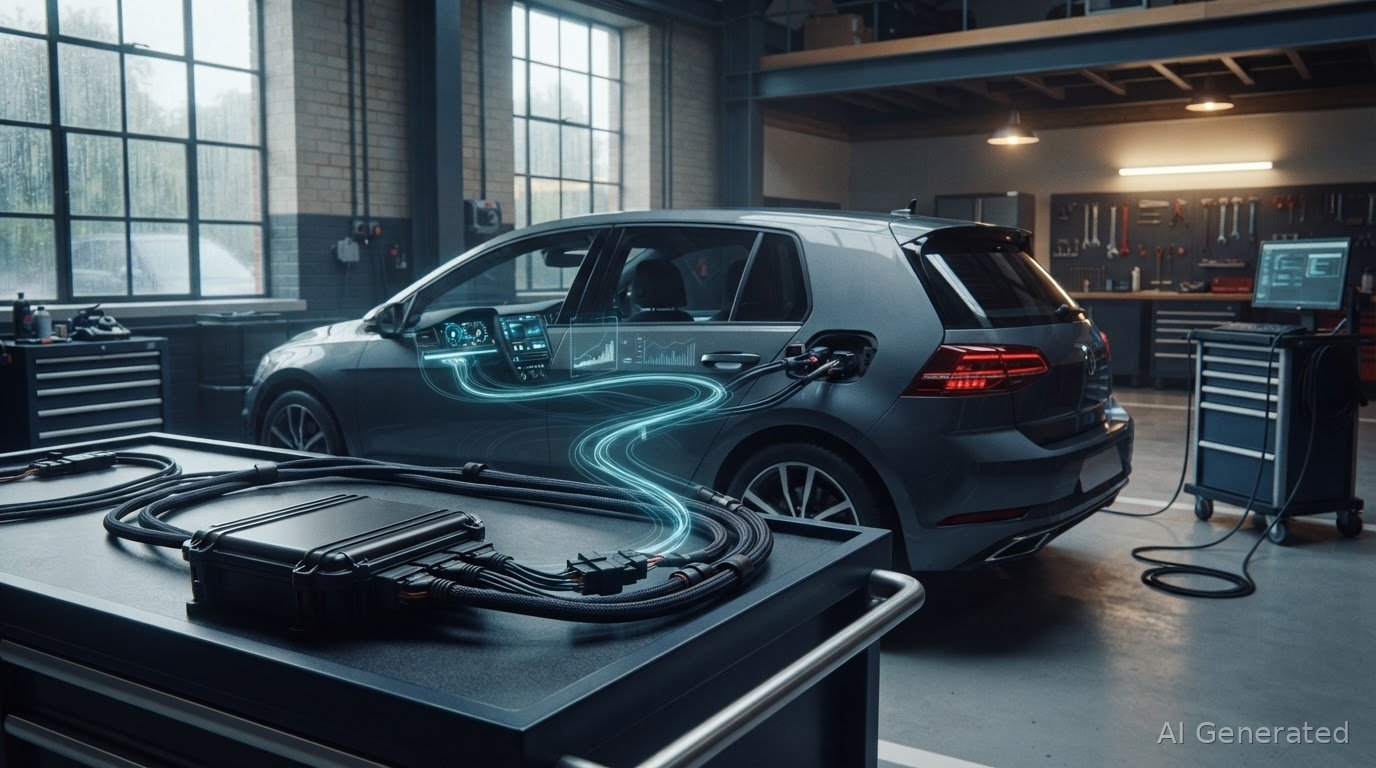
The key distinction is what the vehicle records, not simply what appears on the dashboard. A high quality mileage freezer module is designed to stop mileage recording during vehicle testing or use in controlled off-road environments. Its operation depends on the vehicle-specific electronics it is designed for.
A plug-and-play device may seem likely to fit similarly across related vehicles, but different generations can use different electronic systems. This affects compatibility, fitting and how mileage recording behaves while the device is active.
This guide explains how mileage blockers work, what plug-and-play installation means in practice, and why the right module must match the vehicle. It also clarifies the distinction between mileage recording and odometer function, so you can understand what to expect before choosing a device or fitting service for an appropriate use.
Key Takeaways
- Match a mileage blocker to the vehicle’s exact model and generation, rather than relying on the badge alone.
- Understand what plug-and-play means for the specific application before planning installation.
- Use make, model, generation and model year to narrow down compatible options.
- Learn why mileage recording and odometer functions can behave differently when a module is active.
What is a mileage blocker and how does it work?
A mileage blocker, also called a mileage freezer, is a vehicle-specific electronic module designed to stop mileage recording during vehicle testing or off-road use. A high quality mileage freezer module must match the vehicle application; a similar model name alone does not establish compatibility. The module affects mileage recording, while the vehicle’s other functions can behave differently depending on its electronics and the particular application.
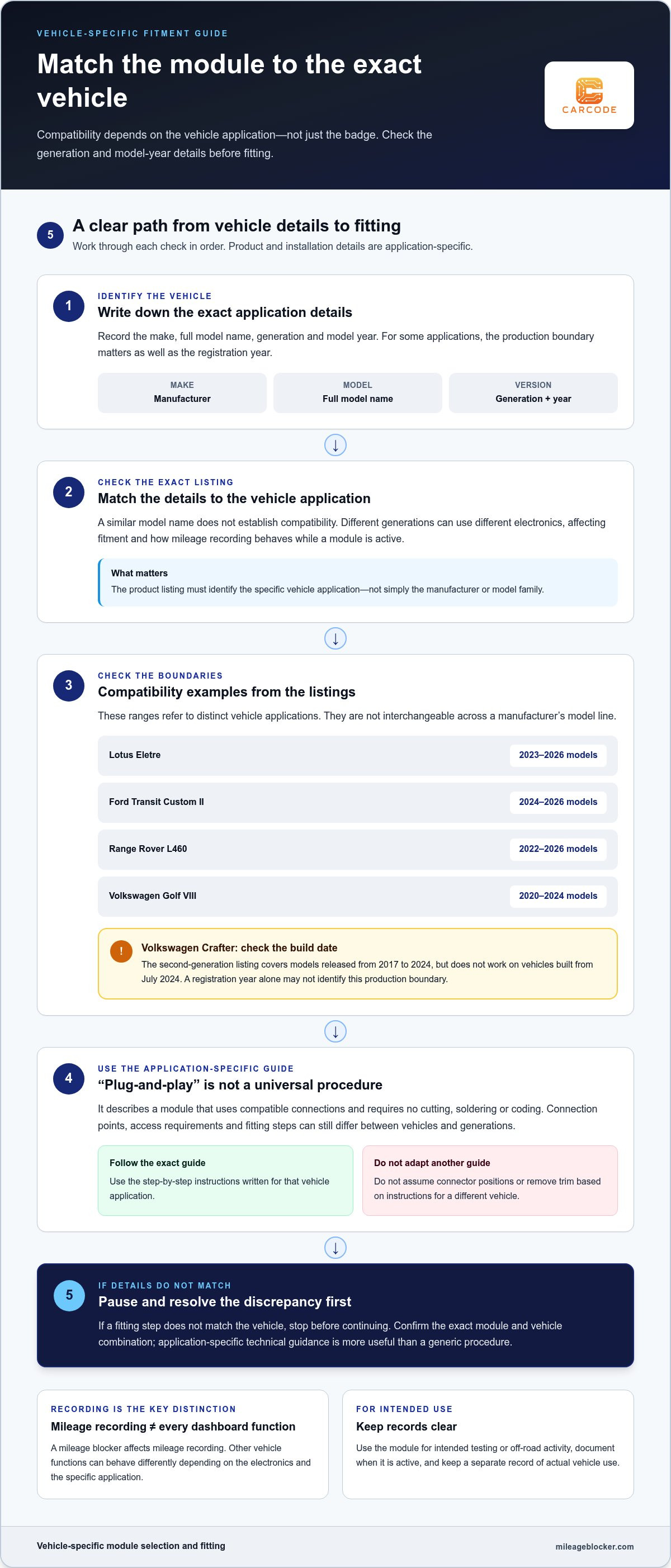
Compatibility listings show why the exact model and generation matter. The Lotus Eletre application is listed for 2023-2026 models, while the Ford Transit Custom II application is listed for 2024-2026 models. The Range Rover L460 listing covers 2022-2026 models. These examples are not interchangeable: each identifies a particular vehicle application and model-year range.
Even one manufacturer’s model line can have separate compatibility boundaries. The Volkswagen Golf VIII listing covers 2020-2024 models. The Volkswagen Crafter second-generation listing covers models released from 2017 to 2024, but does not work on vehicles built from July 2024. For the Crafter, the build date therefore matters alongside the model name. A registration year alone may not identify the relevant production boundary.
Use a practical compatibility check before selecting a module:
- Record the make, full model name, generation and model year.
- For a Volkswagen Crafter, distinguish second-generation models released from 2017 to 2024 from vehicles built from July 2024.
- Compare those details with the exact vehicle application, not just the manufacturer’s name.
Technical support can help interpret application details when model descriptions overlap. Provide the precise vehicle information and ask about that specific generation. This step helps separate a correct match, such as a Range Rover L460, from a different Range Rover generation. A product listing for one Lotus, Ford or Volkswagen application should not be treated as confirmation for every model from that manufacturer.
For the Volkswagen Crafter configuration without a multifunctional steering wheel, modes are switched by pressing the wiper lever down three times.
Plug-and-play installation
“Plug-and-play” describes how a vehicle-specific module connects, not a universal fitting procedure. The device uses compatible connections and requires no cutting, soldering or coding. Follow the step-by-step guide for the exact vehicle application: connection points, access requirements and installation steps can differ between models and generations.
Before fitting, identify the vehicle’s exact make, model, generation and model year. Match those details to the module’s application and step-by-step guide. A facelift or new generation may use different electronics even when the model name stays the same, so a product for one version may not suit another.
The fitting guide for the exact vehicle application should explain the required preparation, access and checks. Follow its steps in order. Do not assume connector positions, remove trim or disconnect components based on instructions for another vehicle. If a step does not match the vehicle, stop and resolve the discrepancy before continuing. Technical guidance is most useful when it applies to the exact module and vehicle combination.
Installation duration has no single figure for every vehicle. It depends on access to the relevant connections, the amount of interior trim that must be moved, the vehicle’s layout and the installer’s familiarity with that application. A straightforward access route and clear instructions can reduce fitting work; restricted access or unfamiliarity can extend it. The phrase “plug-and-play” alone does not establish how long a particular installation takes.
- Confirm the vehicle’s exact model and generation before starting.
- Use the fitting guide written for that specific application.
- Follow its sequence, and avoid adapting instructions from a different vehicle.
- Use technical support for application-specific installation guidance if a step is unclear.
If you prefer specialist help instead of fitting the device yourself, MileageBlocker.com offers a mileage blocker fitting service. The fitting must follow the requirements of the particular vehicle and module, not a generic procedure.
Vehicle-specific mileage blocker compatibility
Compatibility depends on the vehicle application, not a module’s general description. Match the make, model, generation and model year to the exact product listing. A module designed for one electronic architecture cannot be assumed to suit another, even within the same manufacturer. Check the fitment and use: the module must match the vehicle and be used for its intended purpose.
A useful accuracy specification should explain mileage recording by operating mode and identify the compatible vehicle application. One listed product allows a deviation of up to 1% of the driven distance in its mileage-altering mode. This figure applies to that product, not every module. Compare the stated recording behaviour with the details for the exact vehicle before choosing.
MileageBlocker.com is a UK supplier of vehicle-specific mileage blocker modules. Its business information reports an average Trustpilot rating of 4.3/5 and a 12-month warranty. These details describe the supplier and its warranty, but don’t establish compatibility by themselves. The vehicle application and product-specific terms remain the relevant points when assessing a particular module.
Inaccurate mileage records can create confusion during vehicle maintenance, testing or later record-keeping. Reduce that risk by using the module only for intended testing or off-road activity, documenting when it is active, and keeping a separate record of actual vehicle use. Temperature records are different: a mileage blocker concerns mileage recording, not temperature measurement, so temperature-data accuracy depends on the relevant monitoring system.
CAN bus blocker and filter options must also suit the vehicle’s electronic architecture. CAN and CAN-FD are distinct terms; choose only an option designed for the relevant application. “UK-made” describes origin, not compatibility or accuracy. Country of manufacture alone does not establish performance. Compare the stated vehicle fit, mileage behaviour, warranty terms and technical support. Market prices vary by application and hardware, so a general price range cannot determine whether a module suits a particular vehicle.
Mileage recording and odometer functionality
A mileage freezer does not record temperature. Its vehicle-specific operating mode determines how mileage is counted. The following examples apply to the Volkswagen Crafter application, not every vehicle or module.
On the Crafter, Mode 1 stops kilometre accumulation completely. Mode 2 records 20% of actual mileage, while Mode 3 records 30%. Mode 4 counts kilometres at 100%. These settings produce different odometer totals over the same journey, so identify the selected mode before interpreting a reading.
Mode selection has a defined control sequence on this application. The standard Volkswagen Crafter module switches modes when the OK button is pressed for 10 seconds. On vehicles without a multifunctional steering wheel, the stated alternative is pressing the wiper lever down three times. These actions are specific to the Crafter application; they should not be assumed to work on another vehicle.
Mode 1 also has an operating characteristic to understand: when the vehicle exceeds 40 km/h, the speedometer stops working. This is a distinct dashboard effect, separate from the odometer’s mileage count. Consider it before using that mode during a controlled test, and follow the instructions for the specific module.
For the Crafter module, the percentage actually counted can be assessed after driving about 100 km or miles. This provides a practical distance over which to compare the selected mode’s expected recording with the displayed result. Do not treat a short journey as a definitive assessment of the percentage.
For application-specific operating instructions, consult the mileage blocker FAQs.
The device affects mileage recording according to the selected vehicle-specific mode; it does not capture temperature.
The wiper-lever method applies to the stated Volkswagen Crafter configuration without a multifunctional steering wheel. Treat the three downward presses as an instruction for that specific vehicle, not as a method for other models. Follow the guide for the exact application.
MileageBlocker.com: Mileage Blocker Device
MileageBlocker.com sells CAN-bus Mileage Blocker devices for legitimate testing, tuning and diagnostics. Each module is vehicle-specific, so check the exact make, model and generation against the product listing before selecting one. Check the product details to understand how the speedometer behaves in each mode.
Choose a device that matches the vehicle for controlled testing, tuning or diagnostics. If you prefer professional installation, MileageBlocker.com also offers a fitting service for its devices. The fitting must follow the requirements of the specific vehicle and module.
For application details or fitting information, contact MileageBlocker.com or visit mileageblocker.com.
Plan the next step around your vehicle
A high quality mileage freezer module is a vehicle-specific tool for legitimate automotive testing, tuning and diagnostics. Before selecting one, identify the exact vehicle and define the controlled test purpose. Do not use a mileage blocker to misrepresent a vehicle’s true mileage when selling or advertising it.
Keep the vehicle details and intended test use with the product information. Plan how the test will be managed, including when the device will be active and how actual vehicle use will be recorded. Use the device only on private property, rolling roads or in controlled test environments.
If you need help with product information or the next step, explore the MileageBlocker.com FAQs. Take time to make the application and intended use clear, then move forward with confidence.
Frequently Asked Questions
What is a freezer module for vehicle mileage tracking?
It is a vehicle-specific electronic module that affects how mileage is recorded. The relevant distinction is between the module’s selected recording behaviour and the vehicle’s wider record of use. For controlled testing, keep a separate log of actual distance and note which module setting was used. That gives technicians a clearer reference when reviewing test results alongside the vehicle’s displayed mileage.
What are the prices of freezer modules in the UK, including installation?
MileageBlocker.com also offers a Mileage Blocker Fitting Service for its devices. Select the exact vehicle application when comparing product prices, and treat fitting as a separate service.
How is a freezer module installed, calibrated and maintained?
Use the fitting instructions for the exact vehicle and module, then follow its stated setup procedure before testing. Calibration and mode selection are not interchangeable: calibration concerns setup, while mode selection determines the module’s recording behaviour. Keep the instructions with the vehicle’s test records, note the selected setting during use, and inspect the installation in line with the module-specific guidance.
How does a freezer module record temperature and mileage data?
The device does not record temperature; it affects mileage recording according to the selected vehicle-specific mode.
About the author
MileageBlocker TeamThe MileageBlocker Technical Team covers vehicle electronics, CAN and CAN-FD systems, mileage blocker compatibility, installation and product developments.
View author profile →