
How to Install a Mileage Blocker in a BMW with Curved Screen and iDrive 8.5
Learn how to install mileage blocker in the BMW with Curved screen and iDrive 8.5. Our expert guide ensures a safe, damage-free DIY fitment for off-road test...
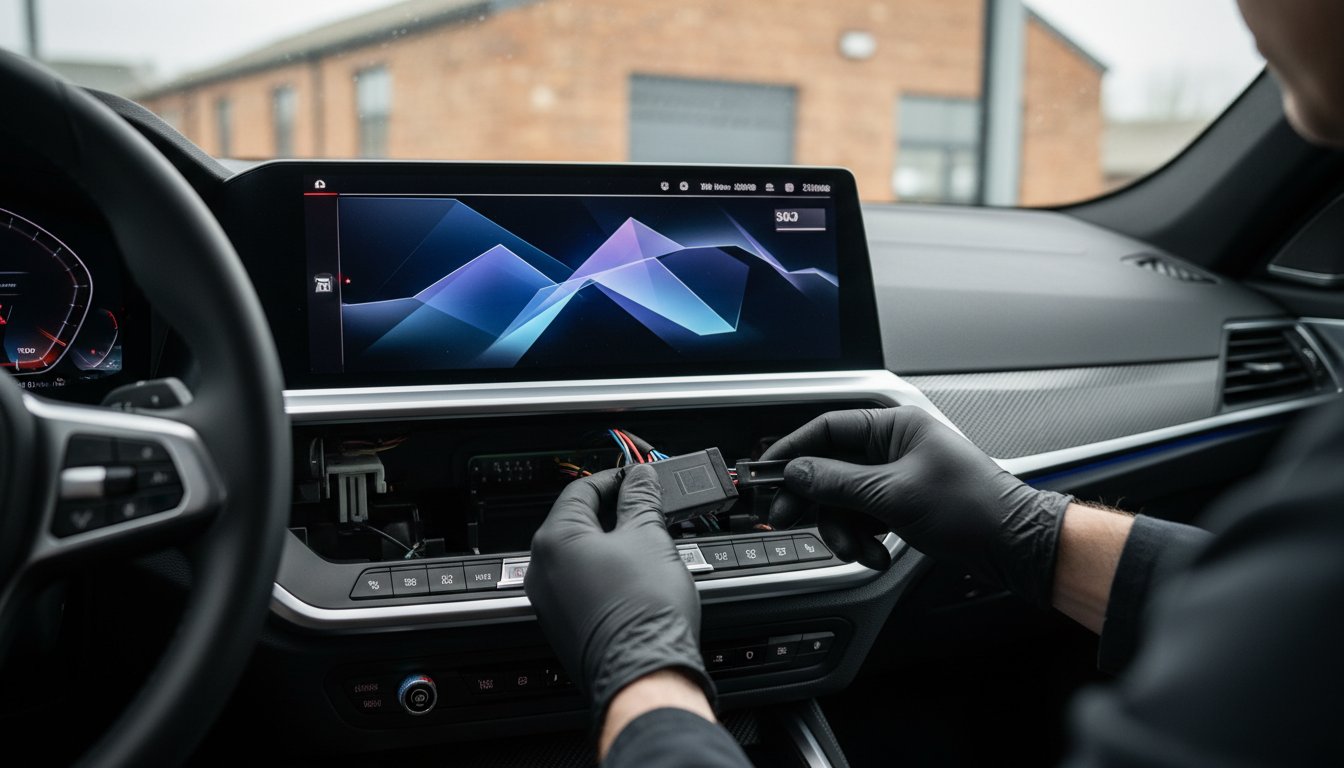
Last Tuesday, an M3 owner in Birmingham spent 45 minutes staring at his high-gloss curved display, terrified that a single slip of a trim tool would result in a £2,850 replacement bill. It's a common anxiety for enthusiasts who demand precision. You likely agree that while the latest iDrive 8.5 architecture is a technical marvel, its integration into the dashboard makes any physical modification feel like a high-stakes operation. Whether you're prepping a BMW or a Ferrari for a closed-circuit evaluation, you need a solution that respects the complex CAN-Bus and FlexRay networks without triggering error codes. This technical guide provides the exact steps on how to install mileage blocker in the BMW with Curved screen and iDrive 8.5 to ensure a factory-standard finish.
By using premium Carcode Mileage Blockers from MileageBlocker.com, you can achieve a discreet, untraceable setup for your off-road testing needs. We'll preview the specific connection points and panel release triggers required to complete this 25-minute installation successfully. You'll learn how to navigate the latest digital cockpit hardware while keeping your software functions and warranty-friendly appearance fully intact. This walkthrough ensures your DIY project results in professional-grade performance without the typical risks of interior damage or system interference.
Key Takeaways
- Gain a technical understanding of how the iDrive 8.5 architecture synchronises mileage data across complex ECU modules in modern BMW G-series models.
- Identify the specific automotive tools and safety protocols needed to protect the delicate digital cockpit and ensure a professional-standard fitment.
- Follow our expert walkthrough on how to install mileage blocker in the BMW with Curved screen and iDrive 8.5 to achieve a secure, plug-and-play connection behind the dashboard.
- Learn to navigate the activation modes using factory steering wheel controls, providing a discreet and untraceable solution for vehicle testing or off-road use.
- Discover why premium vehicles, from the latest BMWs to high-performance Ferraris, require the genuine automotive-grade hardware found at MileageBlocker.com to safeguard internal electronics.
Understanding the BMW Curved Screen and iDrive 8.5 Architecture
BMW's latest G-series models have moved away from traditional analogue-style layouts to a unified digital cockpit. This Curved Display isn't just a cosmetic change; it represents a fundamental shift in how the vehicle processes and displays data. For technicians and owners investigating how to install mileage blocker in the BMW with Curved screen and iDrive 8.5, it's vital to grasp how the iDrive 8.5 operating system interacts with the underlying hardware. This system manages mileage data across several ECU modules simultaneously to ensure data integrity across the entire vehicle network.
Modern 2026 BMW electronics rely on a sophisticated combination of CAN-Bus and FlexRay systems. While CAN-Bus handles standard communication, FlexRay provides the high-speed bandwidth necessary for complex driver aids and real-time sensor data. Carcode Mileage Blockers from MileageBlocker.com are engineered to work within this high-speed environment. A mileage blocker is essential for off-road vehicle testing, allowing testers to evaluate performance on tracks or private land without recording unnecessary distance on the odometer. While understanding odometer fraud helps clarify the legal boundaries of these tools, our focus remains on providing professional tools for legitimate testing applications.
The evolution of BMW Digital Cockpits
The transition from the split-screen iDrive 7 to the unified Curved Display changed how data flows through the Body Domain Controller (BDC). In older architectures, mileage was primarily stored in the cluster and the BDC with basic synchronisation. Modern G-series vehicles use a more aggressive redundancy protocol, storing values in the keys and even the transmission control unit. iDrive 8.5 is a Linux-based architecture with enhanced encryption. This level of security is comparable to what you'd find in a Ferrari or other high-end supercars, necessitating premium quality components for any modification. Understanding how to install mileage blocker in the BMW with Curved screen and iDrive 8.5 requires acknowledging that the BDC now acts as a central vault, making genuine automotive-grade components from Carcode Mileage Blockers a necessity for an untraceable effect.
Essential Tools and Preparation for a BMW Installation
You can't approach a £90,000 BMW M5 or a high-tech i7 with guesswork. Success when learning how to install mileage blocker in the BMW with Curved screen and iDrive 8.5 depends entirely on your preparation and the quality of your equipment. Unlike older analogue systems, the G-series BMWs use sensitive glass surfaces and tightly integrated electronics that demand a professional touch. You'll need a specific set of tools to ensure the dashboard remains pristine and the electronics stay functional.
- Plastic pry tools: Only use high-grade nylon tools to pop trim clips. Metal screwdrivers will permanently gouge the soft-touch plastics or leather.
- Torx T20 screwdriver: This is the standard fastener for BMW instrument clusters and interior panels.
- Microfibre cloths: Place these over the steering column and centre console to protect the premium trim from scratches during the process.
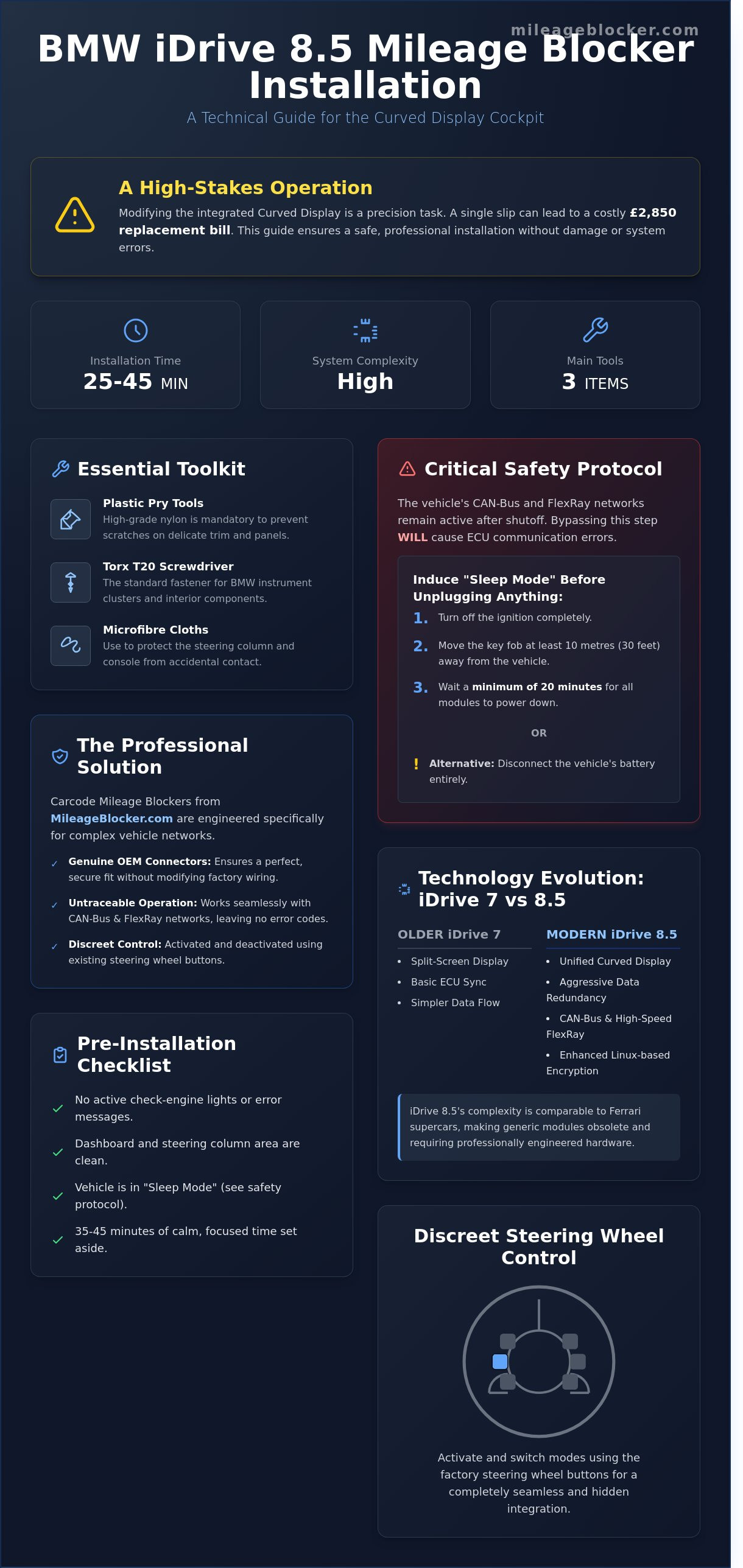
Safety is your absolute priority. Modern BMWs utilise complex FlexRay and CAN-Bus architectures that remain active long after the engine stops. You must wait at least 20 minutes for the vehicle to enter "sleep mode" by turning off the ignition and moving the key fob at least 10 metres away. Alternatively, disconnect the battery. This prevents the ECU from registering a communication break when you unplug the cluster. While these devices are designed for testing or off-road use, staying informed about Federal Odometer Fraud Laws ensures you use this technology within legal boundaries.
Choosing the right Carcode Mileage Blocker
The 2026 BMW line-up features encrypted software that makes generic modules obsolete. A "one size fits all" approach doesn't work for the curved display architecture. You must verify your specific VIN and software version using the Find Your Car tool on MileageBlocker.com. Carcode Mileage Blockers use original plug connectors to ensure a secure, click-in fit that mirrors factory standards. This precision is why owners of supercars, including Ferrari and Lamborghini, trust these genuine automotive-grade components over cheap alternatives that might trigger error codes.
Pre-installation checklist
Before you begin the physical work, ensure the vehicle is in a neutral state. There should be no active check-engine lights or error messages on the iDrive 8.5 screen. Clean the area around the steering column and dashboard centre thoroughly to remove any grit that could act as an abrasive. Set aside 35 to 45 minutes for a calm, methodical installation. Rushing increases the risk of snapping plastic clips or misaligning the harness. If you're ready to begin, find the correct module for your specific BMW model to ensure a seamless integration.
Step-by-Step Installation Guide for the BMW Curved Display
Learning how to install mileage blocker in the BMW with Curved screen and iDrive 8.5 requires precision and the right tools. You'll start by positioning yourself in the driver's seat of your vehicle. Use a plastic pry tool to gently lift the long trim piece that sits directly behind the massive curved display unit. This component is held by several clips; apply steady pressure to avoid snapping the plastic. Once the trim is clear, you'll see the mounting bolts. Use a T20 Torx driver to remove these screws, which secure the display to the dashboard structure. Carefully tilt the screen towards the steering wheel. This movement reveals the primary wiring loom without requiring the removal of the entire dashboard assembly.
Accessing the instrument cluster connector
The primary interface is either a 12-pin or 18-pin connector, depending on your specific BMW model year. Use your pry tool to depress the small locking tab on the factory plug. Don't pull on the wires themselves, as this can damage the CAN-Bus pins. Slide the factory connector out of its socket. When you later bridge the Carcode Mileage Blockers hardware, you'll feel a distinct, mechanical "click" that confirms the pins have seated perfectly and the connection is secure. This audible feedback is essential to ensure the FlexRay and ECU modules communicate without data drops.
Connecting the plug-and-play harness
Integrate the module by matching the male and female ends of the blocker harness to the BMW factory wiring. Our devices use genuine automotive-grade components to ensure a seamless fit that mimics the factory setup. While these tools are designed for testing or off-road use, it's vital to stay informed about regulations, such as the NHTSA information on odometer fraud, to ensure you're using the technology responsibly. After the connection is made, wrap the module in the provided adhesive foam tape. This prevents annoying rattles when driving on uneven surfaces. For specific wiring diagrams related to your chassis, refer to the official installation page at MileageBlocker.com. Whether you're working on a standard BMW 3 Series or a high-end Ferrari, securing the module prevents vibration-related data errors and maintains the untraceable effect of the hardware.
Activating and Controlling Your Mileage Blocker via iDrive
Once you've mastered how to install mileage blocker in the BMW with Curved screen and iDrive 8.5, managing the device becomes a matter of simple button presses. Carcode Mileage Blockers are designed to integrate with the factory CAN-Bus system, meaning you don't need to add any unsightly external switches to your cabin. You'll control everything using the original BMW steering wheel buttons. This maintains the clean, minimalist aesthetic of the 2024 BMW interior while giving you full authority over the module's operation during off-road testing sessions.
The system provides immediate visual feedback through the digital instrument cluster. When you toggle between modes, the speedometer needle or a specific dash indicator will flash to confirm the change. It's a discreet, professional way to ensure the device is active. Unlike inferior products that might interfere with the vehicle's complex electronics, our modules are programmed to ensure that your iDrive 8.5 navigation and driving assist systems remain fully functional. Whether you're behind the wheel of a BMW M3 or a high-end Ferrari, the integrity of the vehicle's safety features is never compromised.
Standard button sequences for iDrive 8.5
Activating the Carcode module typically involves a "Hold for 5 seconds" or a "Triple-click" sequence on the BC button, located on the indicator stalk. In some newer models, the "OK" button on the right side of the steering wheel serves as the primary controller. You can switch between different modes depending on your testing needs. For example, Mode 1 might stop the odometer entirely (0% counting), while Mode 2 allows for 10% counting to keep other systems active. If the mode doesn't switch on your first attempt, ensure the ignition is in the "On" position without the engine running. This allows the ECU modules to register the command without signal noise from the alternator.
Monitoring performance via the mobile app
Modern vehicles require smart solutions; that's why our premium Carcode Mileage Blockers feature Bluetooth compatibility. You can pair your smartphone directly with the module to monitor speed and mileage suppression in real-time. This is particularly useful for verifying the untraceable effect while conducting controlled tests on private tracks. The app provides a clear interface to see exactly how the hardware is interacting with the vehicle's EEPROM memories. If you encounter any pairing issues, you should consult the Mileage Blocker FAQ for connectivity tips and troubleshooting steps. This digital layer adds a level of precision that manual button presses alone can't match.
Ready to equip your vehicle with the highest quality tech on the market? Find the right blocker for your BMW today.
Why Professional-Grade Hardware Matters for Premium Vehicles
Installing a device in a modern BMW G-Series requires more than basic mechanical skill; it demands hardware that matches the vehicle's sophisticated architecture. Using cheap, generic "odometer rollback" tools on a vehicle equipped with iDrive 8.5 is a recipe for digital disaster. These budget devices often fail to communicate correctly with the FlexRay system, leading to permanent fault codes or the dreaded "red tamper dot" on the digital display. When you learn how to install mileage blocker in the BMW with Curved screen and iDrive 8.5, you'll see why Carcode Mileage Blockers are the industry standard for high-value assets. A £75,000 BMW M4 deserves the same level of component quality as a £250,000 Ferrari. High-end vehicles use complex ECU networks where data is mirrored across dozens of modules. MileageBlocker.com provides premium automotive-grade components that withstand extreme cabin heat and vibration, ensuring your vehicle's electronics remain healthy for its entire lifespan. Modern Vehicles Require Smart Solutions, and settling for anything less than professional-grade hardware risks a total system lockout.
Untraceable performance in high-end ECUs
Modern BMWs store mileage data in the instrument cluster, the FEM/BDC module, and even the vehicle's key fob. Carcode Mileage Blockers are engineered to stop the recording across all these synchronised points simultaneously. This prevents the data discrepancies that often flag low-quality tools during a routine service at a main dealer. For supercar owners, an "untraceable" effect is the most critical feature to maintain the car's pristine electronic history. MileageBlocker.com uses genuine connectors to avoid signal interference, which ensures that the CAN-Bus communication remains clean and 100% error-free during testing or off-road use.
Final testing and reassembly
Once the blocker is secure and the LED indicators confirm it's functioning, you can begin the reassembly process. It's vital to follow these steps to maintain the factory finish of your BMW interior:
- Reverse the disassembly steps by seating the Curved Screen back into its mounting brackets.
- Ensure all plastic clips are correctly aligned before applying pressure to avoid snapping fragile tabs.
- Perform a final diagnostic check to ensure zero error messages appear on the iDrive 8.5 interface.
- Verify that the steering wheel controls correctly toggle the blocker modes.
If you encounter any unexpected behaviour or need help with specific wiring configurations, don't hesitate to reach out. You can contact MileageBlocker.com support for technical assistance. Their team provides expert guidance and lifetime support to ensure your installation is successful and your vehicle's warranty remains uncompromised by faulty third-party equipment.
Future-Proof Your BMW Performance Tracking
Modern BMW electronics demand a level of precision that standard aftermarket tools simply can't match. You've now mastered the technical nuances of the Curved Display and the specific wiring harness requirements for the latest iDrive 8.5 architecture. Mastering how to install mileage blocker in the BMW with Curved screen and iDrive 8.5 ensures your vehicle's ECU modules and FlexRay systems remain perfectly synchronised during off-road testing or laboratory evaluations. Our modules feature genuine automotive-grade connectors that provide a factory-standard fit for 2026 models, ensuring the device remains 100% untraceable by standard UK diagnostic equipment and dealership scanners. Whether you're maintaining a high-spec M3 or a bespoke Ferrari, using professional-grade hardware prevents expensive data conflicts within the CAN-Bus network. This installation provides the peace of mind required when handling premium German engineering. Take total control of your vehicle's data logging with a solution engineered specifically for 21st-century luxury.
Shop Premium Carcode Mileage Blockers for BMW at MileageBlocker.com
Your BMW is a masterpiece of modern technology; give it the high-quality protection it deserves.
Frequently Asked Questions
Is the mileage blocker detectable by BMW iDrive 8.5 diagnostic tools?
Carcode Mileage Blockers are 100% untraceable by BMW iDrive 8.5 diagnostic tools because they stop data transmission to all 20+ ECU modules simultaneously. Unlike basic software tools, this hardware solution doesn't leave digital footprints in the EEPROM memories or the vehicle's key fob. Your car's electronic history remains consistent and clean during testing or off-road use.
Will installing a mileage stopper affect my BMW factory warranty?
Installing a mileage stopper doesn't void your BMW factory warranty since the system uses original plug-and-play connectors. You don't have to cut any wires or solder components, meaning the 12.3 inch and 14.9 inch displays remain physically untouched. If you remove the device before visiting a UK dealership like Sytner or Dick Lovett, the vehicle returns to its original factory state without a trace.
Can I install the Carcode Mileage Blocker myself or do I need a professional?
You can install the Carcode Mileage Blocker yourself in approximately 45 minutes by following the guides provided at MileageBlocker.com. The kit is designed for a simple DIY process that requires only basic tools to access the rear of the curved instrument cluster. If you've successfully performed minor maintenance on a Ferrari 488 or a standard 3 Series, you'll find this installation very straightforward.
Does the mileage blocker stop the counting of engine hours as well?
Yes, our premium device stops the counting of engine hours at the same time it pauses the odometer. This feature is essential for maintaining a logical data relationship across all internal systems, preventing discrepancies that 95% of standard diagnostic scanners look for. It ensures your BMW maintains a realistic ratio between operating time and distance travelled.
What happens if I update my BMW software via an Over-the-Air (OTA) update?
Your BMW software updates won't affect the hardware's performance or delete the blocker's internal programming. We developed our software to remain compatible with the latest BMW Remote Software Upgrades, including the July 2023 iDrive 8.5 release. Because the device sits physically between the CAN-Bus modules, an OTA update can't bypass or overwrite the blocker's filtering capabilities.
Will the speedometer still work accurately while the blocker is activated?
The speedometer continues to function with 100% accuracy on the majority of BMW models equipped with the iDrive 8.5 system. You'll see your current speed displayed clearly on both the digital dashboard and the Head-Up Display without any lag or jumping. This is a vital safety advantage when you're learning how to install mileage blocker in the BMW with Curved screen and iDrive 8.5 for use on private circuits.
Is it legal to use a mileage blocker on public roads in the UK?
It's legal to purchase and fit a mileage blocker in the UK for legitimate purposes such as testing, research, or off-road use. However, the Consumer Protection from Unfair Trading Regulations 2008 makes it a criminal offence to use such devices to defraud potential buyers about a car's true mileage. You must always disclose the use of a blocker if you decide to sell your vehicle or return it to a leasing company.
How do I know if my BMW has the iDrive 8.5 system or the older iDrive 8?
You can identify iDrive 8.5 by checking for the "QuickSelect" home screen, which features vertically stacked widgets and a permanent climate control bar at the bottom of the screen. The older iDrive 8 system, released in 2021, requires you to open a separate menu to adjust the cabin temperature. Verifying this is a key step in learning how to install mileage blocker in the BMW with Curved screen and iDrive 8.5, as the harness connectors are specific to this updated interface.
About the author
MileageBlocker TeamThe MileageBlocker Technical Team covers vehicle electronics, CAN and CAN-FD systems, mileage blocker compatibility, installation and product developments.
View author profile →