Audi Mileage Blocker Guide: Architecture, Compatibility, and Testing in 2026
Understand how an Audi mileage blocker operates across Virtual Cockpit systems. Learn about CAN bus architecture, vehicle compatibility, and dyno testing.

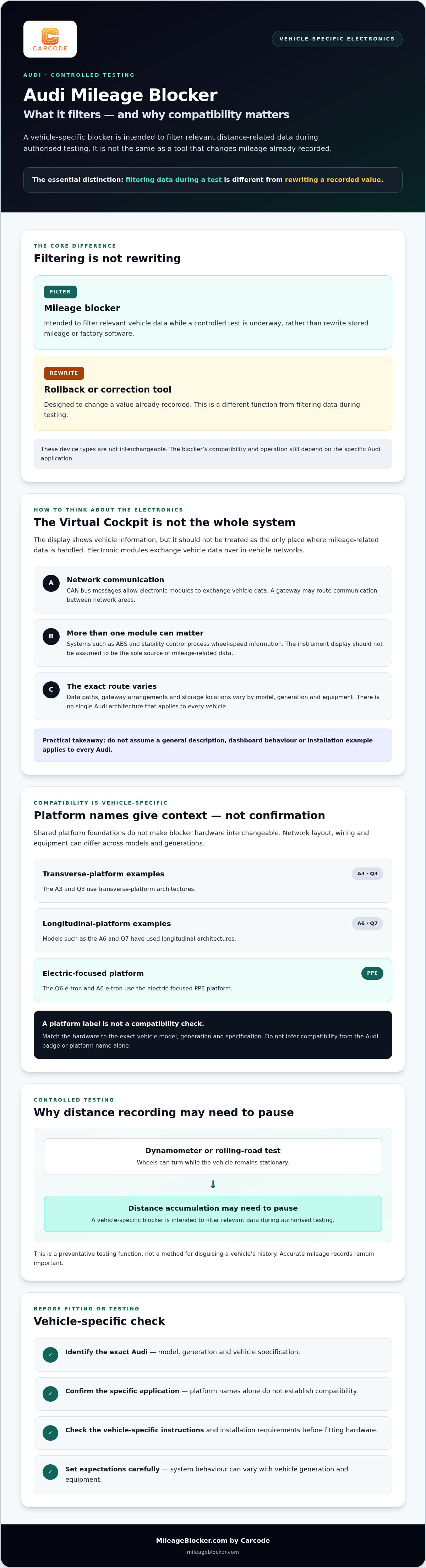
Could an Audi mileage blocker pause distance recording during a dyno test without rewriting the vehicle’s stored mileage? That distinction matters when a Virtual Cockpit and multiple control modules are involved. A blocker is intended to filter relevant CAN bus data during authorised testing. Mileage correction tools change recorded values, so the two types of device are not interchangeable.
Questions about fault codes, cluster integrity and the operation of systems such as the speedometer, cruise control or lane assist are reasonable. Behaviour can vary with an Audi’s generation and equipment, so don’t assume compatibility from the badge alone.
This guide explains how mileage data moves through vehicle electronics, what a vehicle-specific check should cover, and why an A, S, RS or Q model needs to be matched to the right hardware. It also covers practical installation and testing considerations, so you can distinguish a preventative filter for controlled testing from an odometer alteration tool.
Key Takeaways
- The instrument cluster should not be treated as the only module involved in mileage-related data.
- An audi mileage blocker is intended for authorised testing, unlike a tool designed to alter recorded mileage.
- Platform names such as MLB, MQB and PPE provide context, but do not confirm compatibility. The exact vehicle generation and specification matter.
- Check the vehicle-specific instructions and installation requirements before fitting hardware or beginning a controlled test.
How Audi Virtual Cockpit Architecture Processes Mileage Data
The Virtual Cockpit displays vehicle information, but it is not necessarily the only place where distance-related data is handled. Audi modules exchange information over in-vehicle networks. The route that data takes and where it is stored vary by model, generation and equipment, so there is no single architecture that applies to every Audi.
A mileage blocker is designed to filter relevant vehicle data during authorised testing rather than rewrite stored mileage. Its signals and effects on vehicle systems depend on the vehicle-specific hardware. Confirm those details for the Audi in question instead of assuming that a general description applies to every model.
For a basic explanation of the network protocol, see Controller Area Network. The video below shows an installation example, but it is not a universal guide to Audi installation.
CAN bus communication in modern Audi vehicles
CAN bus messages let electronic modules exchange vehicle data. A gateway may route communication between network areas, while systems such as ABS and stability control process wheel-speed information. The exact message path and gateway arrangement are vehicle-specific. An audi mileage blocker must therefore be matched to the relevant model and generation. Don’t assume every unit filters the same signals or that every dashboard function behaves identically during testing.
Why multiple modules matter
The instrument display should not be treated as the sole source of mileage-related information. Other modules may process or retain operational data, but storage locations cannot be generalised across Audi models. If a device affects only one point in the data path, records may not remain consistent. Before testing, check the exact Audi application and use hardware matched to that vehicle.
Audi Mileage Blocker vs Odometer Rollback Tools
The key difference is what each device does to mileage data. A rollback or correction tool changes a value already recorded. A hardware blocker is intended to filter incoming distance-related data during authorised testing, without rewriting stored mileage or factory software. These are different functions and should not be confused.
Filtering data versus rewriting memory
Memory-based adjustment can involve changing data in a cluster or another module. Methods vary, and an incorrect operation may corrupt data or disrupt module operation. It would be inaccurate to assume that every change creates the same diagnostic trace, or that a scanner will always identify it through a checksum.
A vehicle-specific audi mileage blocker instead filters relevant signals while testing is underway. MileageBlocker.com by Carcode states that its hardware is designed to filter data across electronic modules, helping prevent discrepancies between the instrument cluster and engine ECU. Compatibility and operation are still vehicle-specific. Product information should guide expectations; do not assume a device is invisible to diagnostics or that every vehicle will respond in the same way.
Why use a blocker in a controlled test?
On a dynamometer, wheels can turn while the vehicle remains stationary. A controlled test may therefore require distance accumulation to be paused so the test activity is not recorded as ordinary road travel. The same principle can apply to rolling-road evaluations and other authorised development work.
The purpose is preventative, not to disguise a vehicle’s history. Changing or misrepresenting recorded mileage raises separate legal concerns under UK legislation, including the Consumer Protection from Unfair Trading Regulations and fraud acts. Regulations vary, so use testing hardware only in its intended controlled setting, and retain accurate records of the vehicle’s true mileage.
For vehicle-specific questions about hardware for a testing application, contact MileageBlocker.com by Carcode with the Audi’s exact model and generation.
Audi Platform Compatibility: MLB Evo, MQB, and PPE Architectures
Audi’s modular platforms provide shared foundations, but that does not make mileage blocker hardware interchangeable. The A3 and Q3 use transverse-platform architectures, while models such as the A6 and Q7 have used longitudinal architectures. The Q6 e-tron and A6 e-tron use the electric-focused PPE platform. Network layout, wiring and vehicle equipment can vary across these models and generations, which is why a platform label alone is not enough to establish fit.
Match the vehicle, not just the badge
An A4, an RS 4 and a Q7 may share aspects of platform engineering, but their badges alone do not identify the correct device. Model year, chassis generation and instrument-cluster specification can all affect compatibility. Nor should you assume an Audi blocker supports every mode or uses the same connector across applications.
For example, don’t select an A3 or Q3 application simply because the vehicle is also an Audi. Verify an electric e-tron application independently rather than inferring compatibility from a similarly sized petrol model. Check the exact vehicle details against the product compatibility information before choosing an audi mileage blocker.
What to verify before selecting hardware
Start with the vehicle’s model, generation and relevant equipment details. Then check the product information for the stated application, operating modes, activation method and installation requirements. Those details are product-specific. Apply the same care to performance variants: don’t assume steering-wheel controls or suspension-related behaviour without confirmation for that exact vehicle.
For background on the consumer risks of mileage misrepresentation, the US National Highway Traffic Safety Administration provides information on odometer fraud. It is a US resource, not a substitute for checking requirements in your own jurisdiction.
If you’re unsure which Audi application matches your vehicle, contact MileageBlocker.com with your model and generation before selecting hardware.
Audi Mileage Blocker Installation, Calibration, and Testing Protocol
Installation is not the same across all Audi models. Access to the cluster, connector layouts and device operation can differ by generation and equipment. Follow the instructions for the exact vehicle and hardware. A guide for another Audi is not a safe substitute, even if the dashboards look similar.
Plan the installation around the vehicle-specific instructions
Before starting, confirm that the product matches the vehicle and follow the relevant Audi service procedure for powering down and isolating electrical systems. Interior trim can be marked easily, so use suitable non-marring tools and avoid forcing panels or connectors. If cluster removal or electrical work is beyond your experience, arrange professional fitting.
Where the product uses an inline harness, connect it only as directed. OEM-matching connectors are intended for the relevant factory connection, but their layout and fitting method depend on the application. Don’t assume every unit sits behind the Virtual Cockpit or uses the same cluster-release procedure.
Verify operation before controlled testing
After fitting, follow the product-specific instructions for restoring power and checking the vehicle. Confirm that the instrument display and relevant vehicle functions behave as expected. Use suitable diagnostics if the instructions call for a scan. Record any existing warnings or diagnostic results so you can distinguish them from changes after installation.
There is no universal Audi button sequence or calibration routine. Use only an activation method and operating mode confirmed for the exact device and generation. If a warning appears or communication is uncertain, stop and check the product guidance before continuing to a dyno run.
Qualified testers can handle fitting in-house, or use a professional installer. MileageBlocker.com offers a mileage blocker fitting service across the UK upon request. For an audi mileage blocker, confirm compatibility and installation requirements before work begins.
Choose the Right Audi Setup for Your Test
Audi mileage recording involves more than the number shown on the Virtual Cockpit. First, distinguish a preventative testing filter from a tool that rewrites existing mileage. Then verify compatibility against the exact model, generation and equipment. MLB, MQB and PPE labels offer useful context, but they do not confirm that a particular device fits.
For controlled testing, select vehicle-specific hardware and follow its instructions. MileageBlocker.com devices use OEM-matching wiring harnesses and are designed to filter data across electronic modules. Professional fitting is available upon request across the UK, which may help if you would rather not handle vehicle trim and electrical connections yourself.
If you’re unsure which application matches your Audi, contact MileageBlocker.com to discuss compatibility or professional fitting before selecting a device. Confirm the vehicle details and intended testing use first, then plan the installation around the product instructions.
Frequently Asked Questions
Does fitting an Audi mileage blocker require cutting factory wiring?
Not necessarily. The fitting method depends on the specific Audi application and device. MileageBlocker.com hardware uses OEM-matching wiring harnesses, but check the supplied product instructions rather than assuming installation is plug-and-play or requires no modification. Confirm compatibility by model and generation, and use a professional fitting service if you’re unsure about accessing or connecting the vehicle’s electronics.
Will the speedometer still show vehicle speed while the blocker is active?
That depends on the vehicle-specific device and its documented operation. Displaying live vehicle speed and recording distance involve related vehicle data, but they are not the same function. Don’t assume the speedometer, cruise control or driver-assistance features will behave identically across Audi models. Check the instructions for the exact product and vehicle before testing, and stop if a function behaves unexpectedly.
Can diagnostic scan tools detect missing mileage after dyno testing?
There is no general guarantee about what a diagnostic scan will show. MileageBlocker.com states that its hardware filters data across electronic modules to help prevent discrepancies between the instrument cluster and engine ECU, but diagnostic access and records can vary by vehicle. Treat this as testing hardware, not as a way to conceal use or misrepresent a vehicle’s mileage history.
Is it possible to switch operational modes while driving on a test track?
Only if the instructions for that specific Audi device confirm the activation method and permitted conditions. Controls and sequences are not universal, so don’t infer them from another model or generation. For controlled testing, establish the required setting before the vehicle moves, where the product instructions allow. Never attempt an unfamiliar control sequence while driving. Prioritise safe operation on the test track.
What is the difference between an Audi mileage stopper and mileage correction?
An Audi mileage stopper, also called a mileage blocker or freezer, is intended to pause mileage accumulation during vehicle testing. Mileage correction changes values already recorded in vehicle electronics. The two have different functions. MileageBlocker.com sells physical hardware for testing use, not mileage correction tools. Maintain accurate mileage records and never misrepresent a vehicle’s history.
About the author
MileageBlocker TeamThe MileageBlocker Technical Team covers vehicle electronics, CAN and CAN-FD systems, mileage blocker compatibility, installation and product developments.
View author profile →